


28 May 2026
Lewis Hayes
A clear document image helps your identity check go through faster and avoids unnecessary delays.
Follow the guidance below when taking photos of your passport, driving licence or other identity document.
Before taking your document photo, make sure:
A few extra seconds here can save a lot of back and forth later.
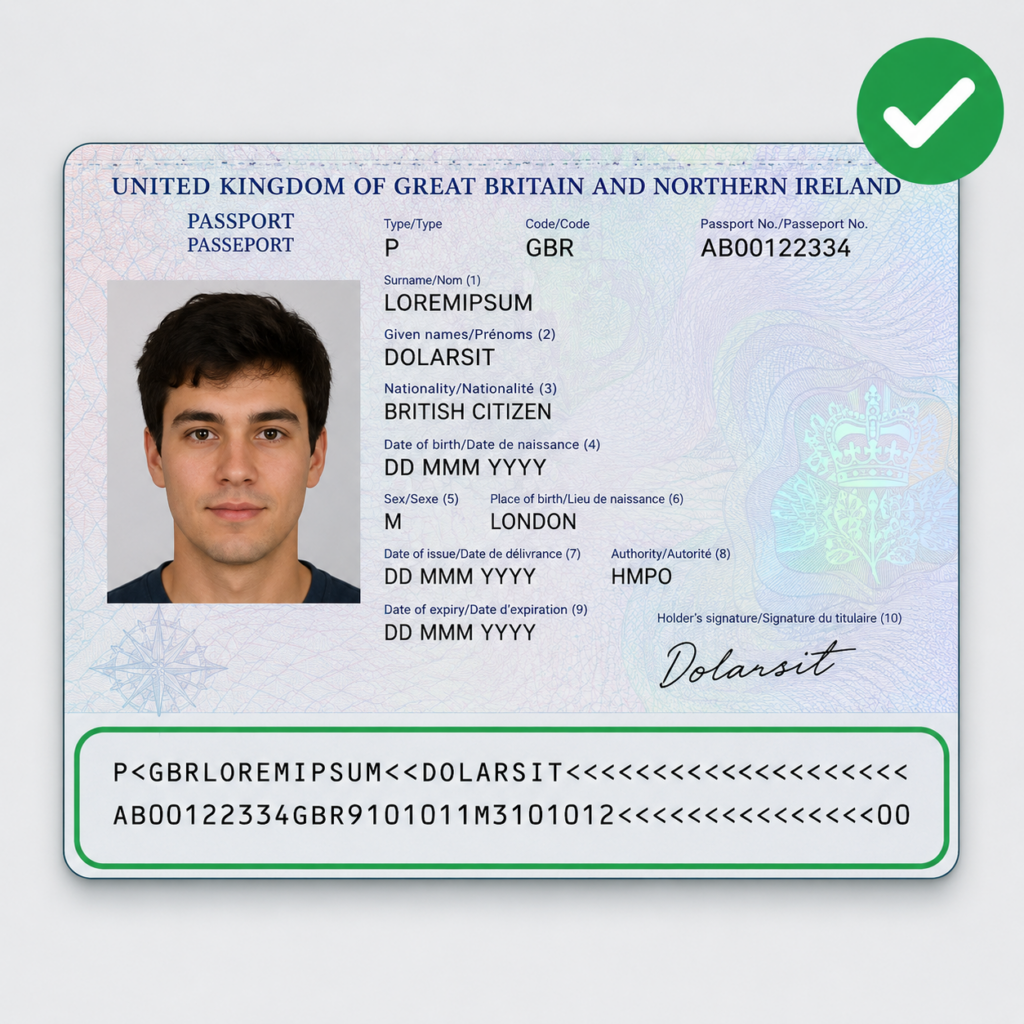
The Machine Readable Zone (MRZ) is the two lines of letters, numbers and chevrons at the bottom of a passport data page.
The MRZ contains security and verification information used during the identity checking process, so it needs to be fully visible and easy to read.
Make sure your image clearly shows:
If any part of the MRZ is blurred, covered or cropped out, the check may fail and you could be asked to retake the image.
It is fine if your fingers or thumbs appear in the image while holding the document, but they must not cover anything important.
Make sure nothing covers:
Natural lighting usually works best.
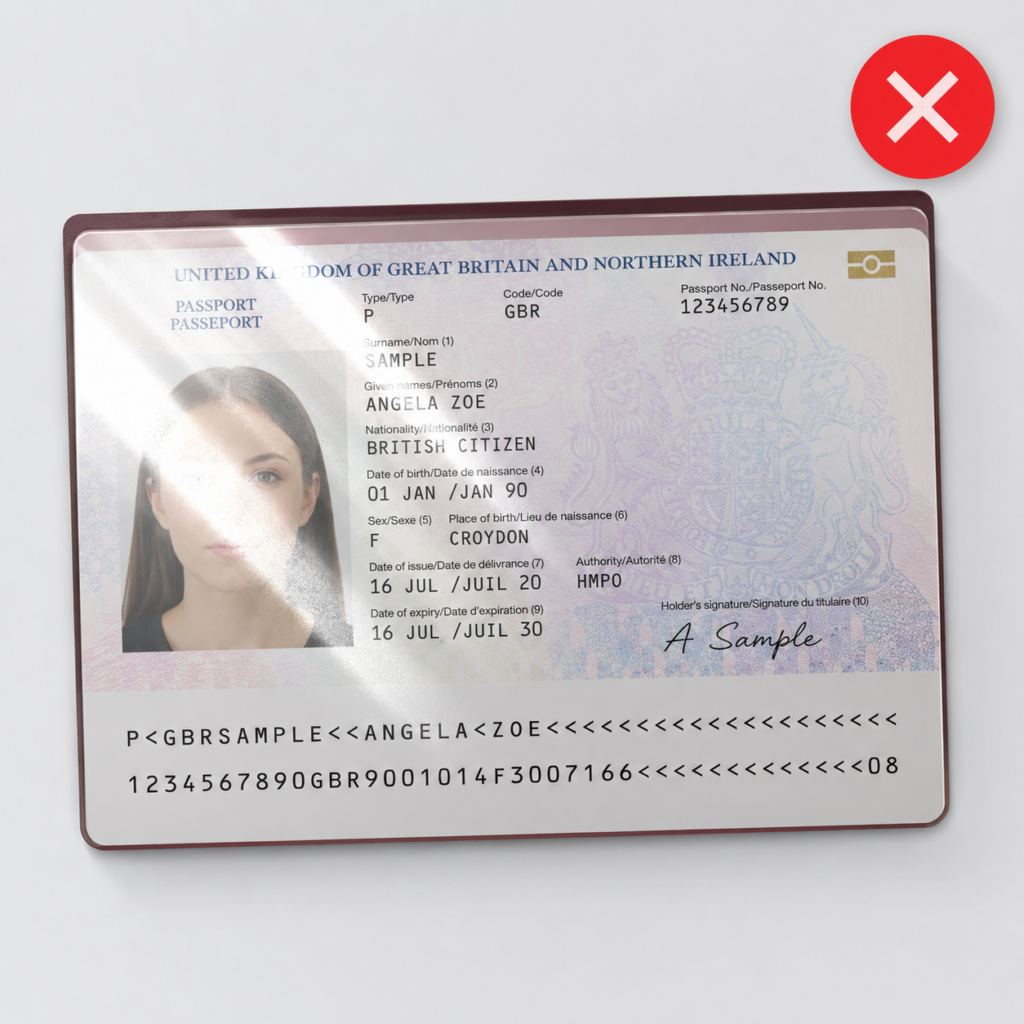
Strong reflections or glare can make the MRZ or photograph unreadable, especially on passports and identity cards with glossy surfaces.
Try to avoid:
If you can see glare on your screen, the checking system probably can too.
Putting the document on a flat surface usually helps.
Try to take the image straight on rather than at an angle. Images taken too horizontally or from the side can make the text harder to read.
A good image should be:
It is completely fine if we can see something holding the document.
If you are using an Irish Passport Card, make sure you capture clear images of both the front and back.
Both sides may be needed during the identity verification process.
Need to ask a question before registering…?
If you are already a customer, please login and use the regular support channels on the platform
Need to ask a question before registering…?
If you are already a customer, please login and use the regular support channels on the platform
Need help?